

Tech
The Modern File Cloud: Why It’s Replacing USB Drives and External Hard Disks


Not long ago, USB drives and external hard disks were the default tools for storing and moving files. They were simple, portable, and worked without the internet. Even today, many people still keep an external drive for backup or carry a USB stick for quick transfers.
But the way we work and store information has changed. Files are no longer used on one computer at a time. People switch between mobile phones, tablets, laptops, and office desktops daily. Teams collaborate across locations. Photos, videos, and documents are created constantly, and storage needs grow faster than most people expect.
This is why the modern file cloud has become the new standard. It offers a smarter combination of convenience, safety, and remote access, making physical storage devices less essential for everyday use.
The Core Shift: From Carrying Files to Accessing Files
USB drives and hard disks are built for portability. The cloud is built for accessibility.
When your files live on physical storage, access depends on where the device is and whether you have it with you. When your files live in the cloud, access depends on your login and your connection.
That shift matters because most people do not just want to store files. They want to access files at any time, upload quickly from any device, and share securely without repeating steps.
A good cloud storage service turns storage into a system, not just a container.
Why USB Drives and External Disks Are Losing Ground
Physical devices still have strengths, but they also have predictable weaknesses that become more obvious in modern workflows.
1) Physical damage and failure
Hard disks can fail without warning. USB drives can stop working, bend, or become corrupted. Even if you are careful, physical devices are vulnerable to heat, water, accidental drops, and wear over time.
2) Loss and theft
A USB drive can be misplaced in seconds. An external hard disk can be stolen from a bag, desk, or drawer. If the drive is not encrypted, anyone who finds it may be able to open your data.
3) Version confusion
When you move files manually, you risk keeping outdated versions. People often end up with “final,” “final_2,” “final_latest” and so on. This creates mistakes, especially when multiple people are editing or sending files.
4) Limited sharing
A USB drive can be handed to one person at a time. Cloud storage allows controlled access to multiple people, which is far more aligned with how teams work now.
What the Modern File Cloud Offers (Beyond Storage)
A file cloud is not only about holding documents online. It improves how files move, how they are protected, and how they are recovered.
1) Access anywhere, instantly
Cloud storage lets you open files from any connected device, even when you are away from your main computer. This is especially useful for:
- Work-from-home and hybrid teams
- Students switching between mobile and laptop
- Freelancers working from different locations
- Creators who need quick access to media files
2) Easy sharing without giving up control
Instead of copying files to a USB drive, you can share them using permission-based access. You can also revoke access if necessary, which is not possible once a physical device leaves your hands.
3) Backup and recovery options
Physical devices can back up files, but recovery depends on manual discipline. Cloud storage is often paired with sync, version history, and file restoration tools, which helps protect against accidental deletion and overwriting.
4) Better organization over time
A cloud-based system makes it easier to maintain folder structure across devices. When you upload files to a cloud environment, you can keep a consistent naming and organizational approach that stays the same no matter where you log in.
Pro Tip: Never share sensitive files using open public links. Use a cloud storage service that allows password-protected links, expiry dates, and access permissions, and review shared links once a month to remove anything that is no longer needed.
Comparison Table
| Feature | File Cloud (Cloud Storage Service) | USB Drive | External Hard Disk |
| Access | Available from any device with internet | Only where the USB is plugged in | Only where the drive is connected |
| Remote Access | Yes, from anywhere | No | No |
| Portability | No physical device needed | Very portable | Portable but bulky compared to USB |
| Risk of Loss/Theft | Lower physical risk, but account security matters | High risk if misplaced | Moderate risk if stolen or lost |
| Durability | No physical wear, depends on provider reliability | Can break, corrupt, or wear out | Can fail due to damage or wear |
| Speed (Local Transfers) | Depends on internet, usually slower than local | Fast for local copy | Fast for local copy |
| Speed (Uploading/Sharing) | Usually fast sharing via links, upload depends on internet | Requires manual transfer | Requires manual transfer |
| Sharing | Easy sharing with permission controls | Share by handing over the drive | Share by handing over the drive |
| Collaboration | Strong (multi-user access, shared folders, permissions) | Weak (one person at a time) | Weak (one person at a time) |
| Version History | Often available (depends on plan) | Not available | Not available |
| File Recovery | Often possible (trash recovery and restore tools) | Limited unless manually backed up | Limited unless manually backed up |
| Security | Can include encryption, MFA, access controls | Depends on device encryption | Depends on device encryption |
| Storage Limit | Depends on plan, can scale easily | Fixed capacity | Fixed capacity |
| Cost | Subscription-based | One-time purchase | One-time purchase |
| Best For | Everyday access, backups, sharing, collaboration | Quick offline file transfers | Large offline backups and archives |
Which One Should You Pick? (Quick Guide)
Choose a File Cloud (Cloud Storage Service) if:
- You need access to files from multiple devices
- You work remotely or travel often
- You frequently share documents or collaborate with others
- You want better recovery options like version history and restore tools
- You prefer uploading once and accessing anywhere
Choose a USB Drive if:
- You need quick offline transfers between computers
- You work in places with limited or no internet
- You want a simple, temporary way to move files
- You do not need long-term backup or collaboration features
Choose an External Hard Disk if:
- You need large offline backups for long-term storage
- You work with huge files and want fast local transfers
- You want a second backup layer (in addition to cloud storage)
- You need a reliable archive that is not dependent on internet access
Best approach for most people:
For everyday access and secure sharing, use a file cloud. For extra protection, keep an external hard disk as a secondary offline backup. This hybrid setup balances convenience with safety.
Conclusion: Storage Is Becoming a Service, Not a Device
A strong cloud storage service makes it easy to upload files, share them safely, and access them from anywhere without worrying about losing a device or carrying backups around. For most users, that convenience alone is worth the shift, especially when combined with recovery and security features.
If you are exploring options, compare a few providers based on accessibility, sharing controls, and recovery tools. Services like FileLu can be included in your shortlist if you want a file cloud solution designed for smoother uploads, flexible access, and secure file handling.
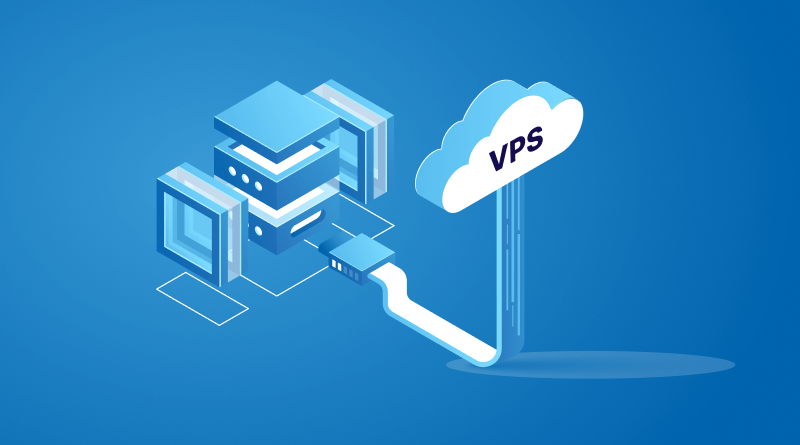
In today’s digital environment, businesses, developers, bloggers, and online entrepreneurs all require stable, secure, and high-performance hosting solutions. As websites and applications continue to grow in complexity, traditional shared hosting often becomes insufficient. This is where VPS hosting enters the picture as a practical and powerful alternative.
A VPS virtual server provides users with dedicated resources, improved performance, enhanced security, and greater flexibility compared to standard shared hosting. Whether you are launching an eCommerce website, managing a corporate portal, hosting game servers, or running custom applications, VPS technology offers the perfect balance between affordability and performance.
Among the many hosting providers available today, Iwihost stands out as a trusted platform offering reliable VPS solutions for businesses and individuals. Their infrastructure is designed to deliver stability, speed, and scalability for modern online projects.
What Is a VPS Server?
A Virtual Private Server (VPS) is a hosting environment created through virtualization technology. A physical server is divided into several independent virtual servers, each functioning like a separate dedicated machine.
Every VPS has its own:
- Operating system
- CPU resources
- RAM allocation
- Disk storage
- IP address
- Software configuration
This means users gain much more control and stability compared to shared hosting environments.
Unlike shared hosting, where multiple websites compete for the same server resources, VPS hosting guarantees dedicated resources for every user. This leads to improved website speed, better uptime, and a more secure hosting environment.
How VPS Hosting Works
Virtualization software, commonly known as a hypervisor, divides a physical server into isolated virtual machines. Each virtual machine behaves independently and allows users to install applications, configure settings, and manage server resources according to their needs.
The main advantage of this system is efficiency. Hosting providers can maximize hardware utilization while clients receive reliable performance similar to dedicated servers at a much lower price.
Key Components of VPS Technology
1. Virtualization Layer
The virtualization layer creates separate server environments. Problems in one VPS generally do not affect others on the same physical server.
2. Dedicated Resources
Users receive allocated RAM, CPU cores, and storage space that are reserved specifically for their virtual server.
3. Root Access
Most VPS plans provide full administrative access, allowing advanced users to customize server settings and install specialized software.
4. Independent Operating Systems
Users can choose their preferred operating system, including:
- Linux distributions
- Ubuntu
- CentOS
- Debian
- Windows Server
Why VPS Hosting Is Popular
The popularity of VPS hosting has increased significantly because it bridges the gap between low-cost shared hosting and expensive dedicated servers.
Businesses and developers prefer VPS hosting because it offers:
- Better performance
- Improved reliability
- Greater customization
- Stronger security
- Cost efficiency
- Easy scalability
For growing projects, VPS hosting becomes a logical next step once shared hosting limitations begin affecting performance.
Advantages of VPS Hosting
Improved Performance
Performance is one of the biggest reasons people switch to VPS hosting.
On shared hosting, traffic spikes from neighboring websites can slow down your project. VPS environments isolate resources, ensuring your applications maintain stable performance even during high traffic periods.
Benefits include:
- Faster website loading times
- Better responsiveness
- Improved SEO performance
- Higher visitor satisfaction
- Reduced downtime
Fast websites also improve user engagement and conversion rates.
Enhanced Security
Security is essential for any online project, especially for businesses handling customer information or payment processing.
VPS hosting provides stronger protection because virtual servers operate independently from one another.
Security Advantages Include:
- Isolated server environments
- Dedicated IP addresses
- Advanced firewall configuration
- Custom security software installation
- Better malware protection
- Secure remote access
With VPS hosting, users have greater control over security settings and can implement tailored protection measures.
Full Administrative Control
A VPS server provides root or administrator access, allowing complete control over the hosting environment.
This is extremely useful for:
- Developers
- System administrators
- SaaS companies
- Application owners
- Game server operators
Users can:
- Install custom software
- Modify server configurations
- Optimize performance settings
- Deploy frameworks
- Run specialized applications
This flexibility makes VPS hosting suitable for advanced and professional projects.
Scalability for Growing Projects
One of the strongest advantages of VPS hosting is scalability.
As your website grows, you may require:
- More RAM
- Additional CPU resources
- Increased storage
- Higher bandwidth
VPS platforms make scaling easy without requiring complex migrations.
This flexibility is ideal for:
- Expanding businesses
- Viral websites
- Seasonal traffic increases
- Startups preparing for growth
Cost-Effective Alternative to Dedicated Servers
Dedicated servers offer maximum power but are expensive for many users.
VPS hosting provides many dedicated-server benefits at a significantly lower cost.
Users receive:
- Dedicated resources
- Better isolation
- Root access
- Enhanced performance
without the high financial investment associated with physical dedicated servers.
This makes VPS hosting highly attractive for small and medium-sized businesses.
Common Uses of VPS Servers
VPS hosting is versatile and supports many online activities.
Website Hosting
Businesses often use VPS servers to host:
- Corporate websites
- eCommerce stores
- News portals
- Membership platforms
- Educational websites
The improved speed and reliability help deliver better user experiences.
Application Hosting
Developers use VPS servers to host:
- Web applications
- APIs
- SaaS platforms
- CRM systems
- Business tools
The ability to customize environments makes VPS ideal for development projects.
Game Servers
Gaming communities frequently use VPS servers for multiplayer gaming environments.
Popular uses include:
- Minecraft servers
- Counter-Strike servers
- Rust servers
- Voice communication servers
VPS hosting provides stable connections and low latency for players.
VPN Hosting
Some users configure VPS servers as secure VPN solutions to improve privacy and remote accessibility.
Benefits include:
- Encrypted communication
- Remote work security
- Private browsing
- Global access
Email Servers
Businesses may use VPS hosting for professional email infrastructure with improved reliability and control.
Remote Desktop Environments
Windows VPS servers are commonly used for:
- Remote office work
- Trading platforms
- Software automation
- Business operations
Users can securely access their desktop environments from anywhere.
Why Businesses Need Reliable VPS Hosting
Modern businesses depend heavily on uptime and performance. Even short periods of downtime can result in:
- Lost revenue
- Poor customer experiences
- SEO ranking declines
- Reputation damage
Reliable VPS hosting helps maintain consistent operations while supporting business growth.
Important Business Benefits
Better Customer Experience
Fast-loading websites improve engagement and increase trust among visitors.
Improved Search Engine Rankings
Website speed is an important ranking factor for search engines.
Stronger Data Security
Businesses handling customer information require secure hosting environments.
Stable Operations
Dedicated resources reduce the risk of interruptions caused by other users.
The Importance of Choosing the Right Hosting Provider
Not all VPS hosting providers offer the same level of quality. Selecting the right provider significantly affects your project’s success.
Important factors to evaluate include:
- Infrastructure quality
- Server uptime
- Technical support
- Security features
- Pricing
- Scalability
- Data center reliability
A trustworthy hosting provider ensures smooth performance and long-term stability.
Advantages of the Iwihost Platform
Iwihost has become a preferred hosting provider for many users because of its reliable infrastructure and customer-focused services.
The platform offers modern VPS hosting solutions suitable for:
- Businesses
- Developers
- Online stores
- Agencies
- Gaming communities
- Personal projects
Let’s explore some major advantages of choosing Iwihost.
High Performance Infrastructure
Iwihost uses modern server hardware and optimized infrastructure to deliver strong performance.
This includes:
- Fast processors
- SSD storage
- Reliable networking
- Stable virtualization technology
As a result, websites and applications operate efficiently with minimal delays.
Reliable Uptime
Website availability is crucial for online success.
Iwihost focuses on stable uptime performance to ensure websites remain accessible around the clock.
Reliable uptime contributes to:
- Better customer trust
- Higher revenue
- Improved search visibility
- Professional online presence
Flexible VPS Plans
Different projects require different hosting capacities.
Iwihost offers flexible VPS plans suitable for:
- Small websites
- Growing startups
- Large business platforms
- Resource-intensive applications
Users can choose plans according to their technical and financial requirements.
Enhanced Security Features
Security remains a major priority at Iwihost.
Their VPS hosting solutions support advanced security measures such as:
- Firewall protection
- Secure access management
- DDoS mitigation
- Data isolation
- Regular monitoring
This helps protect websites and applications from online threats.
User-Friendly Management
Managing a VPS server can sometimes feel complex for beginners.
Iwihost simplifies server management with accessible tools and support systems that make configuration and maintenance easier.
This is especially beneficial for users transitioning from shared hosting environments.
Technical Support
Quality customer support is extremely important in hosting services.
Iwihost provides technical assistance to help users resolve issues quickly and maintain stable hosting operations.
Fast support response times help minimize downtime and improve customer confidence.
Scalability and Growth Support
As businesses expand, hosting requirements also increase.
Iwihost VPS solutions are designed to scale with growing projects, allowing users to upgrade resources efficiently without complicated migrations.
VPS Hosting vs Shared Hosting
Understanding the differences between VPS and shared hosting helps users make informed decisions.
Feature Shared Hosting VPS Hosting Performance Limited High Security Shared Environment Isolated Environment Customization Minimal Extensive Root Access No Yes Scalability Limited Flexible Stability Variable Reliable Resource Allocation Shared Dedicated
For serious online projects, VPS hosting provides clear advantages.
Who Should Use VPS Hosting?
VPS hosting is suitable for many types of users.
Small Businesses
Businesses needing reliable online operations benefit greatly from VPS hosting.
Developers
Developers require flexible environments for coding, testing, and deployment.
eCommerce Stores
Online stores need stable performance and secure infrastructure for transactions.
Content Creators
Bloggers, video creators, and publishers can handle growing traffic more effectively with VPS hosting.
Agencies
Marketing and development agencies often manage multiple client projects on VPS servers.
Tips for Managing a VPS Server
To achieve the best performance from a VPS environment, users should follow several best practices.
Keep Software Updated
Regular updates improve security and stability.
Use Strong Passwords
Secure authentication protects against unauthorized access.
Monitor Resource Usage
Monitoring CPU, RAM, and storage usage helps optimize performance.
Configure Backups
Automated backups reduce the risk of data loss.
Implement Firewalls
Firewall configuration enhances server security.
Future of VPS Hosting
The VPS hosting industry continues to evolve as businesses demand faster and more scalable solutions.
Future trends include:
- Cloud-integrated VPS solutions
- AI-powered server optimization
- Enhanced cybersecurity
- Faster NVMe storage
- Improved automation
- Eco-friendly data centers
VPS hosting will remain an essential solution for modern digital infrastructure.
Conclusion
Virtual Private Servers provide an excellent balance between affordability, flexibility, performance, and security. They are ideal for businesses, developers, online stores, and growing digital projects that require more power than traditional shared hosting can offer.
A VPS server allows users to enjoy dedicated resources, greater customization, improved stability, and enhanced security without the high costs associated with dedicated hardware.
For anyone searching for dependable hosting services, Iwihost offers a strong combination of performance, reliability, scalability, and customer support. Their VPS solutions are designed to meet the demands of modern websites and applications while remaining accessible for businesses of all sizes.
As online competition continues to grow, investing in reliable VPS hosting becomes increasingly important for maintaining strong performance and delivering excellent user experiences. Choosing a trusted provider like Iwihost can help businesses build a stable and scalable digital foundation for long-term success.

The realm of Android and iOS game development is more than we think. Do you know? Almost 98% of the mobile game market is covered by Android and iOS. There are more than 3 billion mobile game users across iOS and Android. That means Android game development services and iOS game development services are the powerhouse behind the growth of the mobile game market.
From a business point of view, the gaming sector is inviting you with great ROI. For launching advanced custom games at the best prices, the assistance of Android game development services or a leading iOS game development company. But it’s always challenging to find the best mobile game agency to outsource your project.
So, let’s have a deep understanding of the way to choose and the benefits of collaborating with Android game development services and an iOS game development company. Here, we will also see the importance of Android and iOS mobile game development. More than just information, this is your manual for successful game app development.
Growing Gaming Industry and Opportunities
Just look around—people of all ages are engaged in mobile gaming, and mobile game brands are getting huge profits. As there are plenty of genres and audiences to target, many investors want to enter the mobile game market. When developing mobile games, the majority of businesses and entrepreneurs prefer both Android and iOS as the target market.
The growing user base and revenue of the gaming sector raise the demand for Android and iOS development services. Let’s see the real data:
- Over 3 billion mobile gamers worldwide
- Mobile games generate more than 50% of total gaming revenue
- The global gaming market is expected to exceed $250 billion by 2030
- Android holds 78% of the mobile game market.
- iOS generates higher revenue per user
- 70%+ of game downloads come from mobile platforms
Yes, there are huge fans for various game genres, from simple 2D puzzles to high graphics AAA games. These trends clearly show that collaborating with Android game development services , you can grab huge opportunities in the gaming market and harvest profits.
Why Develop a New Mobile Game?
The main question that comes to mind is, with more than 4000 game apps being launched daily and millions of games available in the Play Store and Apple Store, is there any scope for a new mobile game? But mobile games are becoming more popular, and you can notice new game brands are also emerging with huge revenue generation:
1. Growing market and Users
There is no debate in the fact that the gaming sector and game app user base are growing day by day. All the latest statistics prove the same. As the gaming sector is expecting a huge boom in the coming years, launching a new game app at this time is a smart business move. Yes, you are becoming part of an industry that is about to reach $300 billion in the coming 10 years.
2. Innovations
New features and gaming elements always attract game users. Also, the new gaming technologies, including AR/VR and AI, bring more innovation to the gaming sector. Have you noticed that all of the best mobile games get regular updates? This is the best way to get and keep as many users. If you release a new mobile game using advanced technologies and engaging features, you can become a leading brand in the gaming sector.
3. Earn a lot of money
Regardless of the OS you target, mobile games are not just investments; they are highly profitable investments. Data says the average revenue per user of $61.65 is a positive sign to launch new games. In iOS game apps, the average revenue per user is about $90. As there are plenty of monetization ways to generate revenues, you can get a decent ROI within months. Game app ads and in-app purchases are a major way to earn from your mobile game app.
4. Platforms and Genres
Another factor that inspires the launch of mobile game apps is the wide range of platforms and genres available to target. Excluding online gaming platforms and gaming software, you can target both Android and iOS devices. You can reach both user bases because Android games have more than 104.6 billion downloads, and iOS game apps have more than 36 billion downloads. Also, you can build games of any genre, like puzzles, sports games, casino games, card games, AAA games, and many more.
5. Gamification in Various Industries
The use of game apps is beyond entertainment, and it is used in various industries. This opens plenty of opportunities and inspires me to launch new mobile games.
- School: Schools and educational services use games to make learning easier. For example, Duolingo.
- Healthcare: Gamification in health apps helps users to achieve various health goals through daily games. For example, MyFitnessPal.
- Fitness: Fitness tasks and goals can be gamified to make it easy to achieve through fun. Nike Training Club is one example.
- Retail: Retail stores use gamification to keep users in touch and provide rewards. Starbucks is an example.
- Banking: Banks use gamification of their services to attract people through rewards and encourage using their apps. Paytm is an example.
- Training: Organizations, especially corporate companies, use games to train employees fast and effectively. For example, Kahoot.
- Travel and Hospitality: Gamification helps travelers to get points and rewards. Users like to plan trips, and they use more services. Airbnb is an example.
- Online shopping: Online stores gamify their apps or websites to add deals and rewards that engage and attract users. Customers are happy to shop for longer. For example, Amazon.
- Advertising and marketing: Games and contests are used by brands to get people involved. For instance, McDonald’s.
- Productivity at Work: Businesses gamify, which engages employees, giving people points and rewards for finishing tasks. For example, Habitica.
So in all aspects, launching an innovative game app or gamifying your business app is a smart move. If you add innovative and highly engaging features, success is guaranteed.
Importance of Android Game Development Services & iOS Game Development Company
Now comes a major concern: why get the assistance of Android game development services or tie up with a leading iOS game development company? It’s especially important to see why such agencies are more reliable and effective compared to in-house teams or freelancers.
- Complete Services: Top game development companies give you all the needed services. No matter which genre or platform you target.
- Industry Knowledge: well-established game app development agencies know all the aspects of the gaming industry, especially the trends and user behaviour.
- Quick Game Development: When you outsource the game app development project, the project will be fast, and you get early launch benefits.
- Cost-Effective Solutions: Outsourcing mobile game development projects or hiring game app developers makes the project cost-effective compared to inhouse team works.
- Custom Game Development: Top Android and iOS game development services know how to customise game apps based on the user’s game concepts and launch what they expect.
- Scalable Game Solutions: Android game development services and iOS game development companies develop games that can be expanded or upgraded in the future.
- Error-Free Development: When you outsource game app development to a top game development services company, there will be no costly errors and reworks.
- Complete Technical Support: Top. Mobile game development services never leave you halfway. They stay with you for a long time and give you support.
Compared to game app development with in-house teams and freelancers, outsourcing game development projects to top agencies gives several benefits. Especially if you consider outsourcing game development to an offshore game development agency, the benefits are countless.
Find the Best Mobile Game Development Services
When moving ahead with game development, whether it’s Android, iOS, or cross-platform, technical support and guidance are important. With hundreds of game development companies and thousands of freelance game developers available, businesses usually get confused when choosing a partner for game development projects. But here you can see the way to choose the best game development company:
- Review their past works and see their experience in developing modern games.
- Verify their proficiency and skills in the various platforms.
- Evaluate and cross-check client testimonials and reviews.
- Assess their technical stack expertise
- See the skills in the latest game engines like Unity or Unreal.
- Look for clear communication channels
- Evaluate project management style
- Evaluate their game design skills
- Compare pricing models
- Confirm post-launch support
- Evaluate NDA.
- Test their passion
Getting a game development partner is more than just hiring or outsourcing. You need a group of professionals who can conceive your game idea and turn it into real-world games. When you evaluate all these aspects, you can filter out the best game development services. If you feel it is difficult to evaluate all these things and find the agency, meet the best game development partner in the next section.
Fulminous Software: The Best Partner for Android and iOS Game Development
Beyond some technical qualities and coding skills, you need a game development partner with innovation, creativity, and industry experience. Then, meet Fulminous Software, the trusted game development partner for clients from all over the world. It’s not an exaggeration, but you can see the portfolio of 25+ completed game development projects in various genres.
Fulminous Software is a complete Mobile game development company with a specialist team for both Android game development services and iOS game development services. In all aspects, you get the best partner: Fulminous Software has a skilled team of 15+ game developers who can develop games in any genre. The game development experts of Fulminous Software use the latest game development technologies, tools, and engines to bring you the best games.
You can also hire game developers for your projects at just $10-$30 per hour and within a day. Fulminous Software guarantees 24/7 technical support for your iOS or Android game even after the launch. Another highlight of Fulminous Software is the wide range of services and game genres. Yes, you will be amazed by our range of game development services:
Category Services Core Game Development Services Mobile Game Development Services (Android & iOS)
Unity Game Development Company
iOS Game Development Company
Android Game Development Company
Hire Game Developers
AAA Game Development ServicesPlatform-Based Development Android Mobile Game Development
iOS Game Development
PC Game Development
iPad Game Development
WebGL Game Development
HTML5 Game DevelopmentAdvanced & Emerging Technologies VR Game Development Company
AR Game Development
Blockchain Game Development Company
NFT Game Development
Web3 Game Development Company
Metaverse Game Development
AI Game Development
Play-to-Earn Game DevelopmentCasino & Card Game Development Casino Game Development Company
Slot Game Development Company
Roulette Game Development Company
Poker Game Development
Teen Patti Game Development Company
Blackjack Game Development
Baccarat Game Development
Andar Bahar Game DevelopmentSports & Betting Solutions Fantasy Sports App Development Company
Fantasy Sports Software Development
Horse Racing Betting Software DevelopmentSpecialized Game Development Hyper Casual Game Development Company
Card Game Development
Board Game Development
Chess Game Development
Aviator Game Development CompanySweepstakes & Casino Platforms Sweepstakes Software Development
Sweepstakes Casino Development
Live Casino API Provider
No matter whether you want to build a high-cost game or a basic mobile game app, the cost of mobile game development services is very reasonable at Fulminous Software. Fulminous Software is well-skilled in understanding the game concepts of clients and building real game platforms. Yes, you get exactly what you demand. So, stop searching! Tie up with Fulminous Software today and start your game development project.
Launch Your Dream Mobile Game and Get Profits
Mobile games are now beyond entertainment, and it is one of the best ways to grow your business online. The most important thing is to make a mobile game that engages users and considers market trends. The growing number of people who play games on their phones shows how big this industry could be. Businesses can benefit from collaboration with a professional iOS game development company or investing in Android game development services.
No doubt, Mobile games are a smart investment. Businesses can make new, scalable, and profitable mobile games if they work with the right development partner. If you want to get in touch with a top Android game development service and an iOS game development company, Contact us now!

Email marketing doesn’t guarantee a quick sale, but it’s certainly not dead. As a matter of fact, it’s one of the most effective ways to nurture cold leads into warm prospects, which adds incredible value to your business. Whether you’re just sending out a monthly email to keep subscribers in the loop or sending emails on a daily basis to sell out, there’s always room for improvement. Inboxes are more crowded than ever, and attention spans are shrinking. Here’s how you can rise above all the noise and stand out so you can achieve your goals now and in the future.
#1 Know Who You’re Sending Emails To
The old spray and pray strategy, where you ‘spray’ generic messages across a massive audience and ‘pray’ that it resonates with anyone, just doesn’t cut it anymore. Create more targeted campaigns to increase your email ROI. More specifically, know who you’re speaking to so that you can craft content that meets their needs and encourages engagement with your brand. To better understand your subscribers, look at the following types of data:
- Known data: Dig up any information you have that’s tied to a specific, unique person, such as contact info (name, physical address, phone number), preferences (language, topic/product interests), and demographics (age, gender, job title).
- Behavioral data: Figure out what users click, how far they scroll down pages, and at which point they start to lose interest. Email marketing isn’t about watching numbers go up. It’s about understanding what actions your audience takes.
- Purchase data: What, when, and how many times customers have made a purchase from you tells you what they’re actually committed to. Purchase data can provide opportunities to cross-sell and upsell, increasing average order value.
Dividing and separating email subscribers into groups is much easier to do if you’re using an email marketing platform that supports dynamic segmentation. You can organize contacts using tags and scores based on behavior and engagement to ensure your messaging stays hyper-relevant, and it’s more likely the recipient will act upon your call to action (CTA) and click through your website.
#2 Optimize Your Emails For Mobile Devices
More than half of users delete emails that don’t display correctly on their mobile devices without giving it much thought. By some estimates, as many as 55% to 65% of emails are first opened on smartphones, tablets, laptops, smartwatches, and so on. Take a more conscious approach to designing your campaigns, that is, make sure your emails look great on every device, irrespective of the size of the screen they’re viewed on. It’s recommended to bring the CTAs as far up within the copy as possible and, above all, to keep your messages clear and focused, since text-heavy emails aren’t mobile-friendly.
#3 Offer Useful And Relevant Information
Emails aren’t magic bullets. Not by a long shot. You can’t just send out a message and expect the world to stop what it’s doing and rush to open it. In case you didn’t already know, people have countless unread emails in their inboxes, ranging from newsletters and promotions to a couple of ‘quick questions’. If you don’t communicate an idea that resonates, change will never happen. You have just a few seconds to capture the attention of audience members and convince them to take action on your email content. The best way to do that is to move beyond the one-size-fits-all model.
If you treat all customers the same, you speak to everyone, and hence, no one. The secret isn’t more reach. It’s a deeper resonance. Deliver personalized content to people in different audience segments to ensure your message lands with precision and impact. Include only one or two offers in each campaign, and link each offer back to your website. Most importantly, avoid creating messages that are entirely images. Images look nice, but many email clients, including Outlook and Apple Mail, block them by default for security and privacy purposes, and to prevent tracking.
#4 Have Emails Come From A Real Person
We’ve all been there. You get an email from a company you know or trust, only to find out it comes from a no-reply address. It gives the impression that they couldn’t care less about hearing from you, helping you, or building any kind of real relationship. The next campaign, have your email come from a member of your marketing or customer service teams, or even your CEO. Only use no-replay emails when responses aren’t absolutely necessary. Examples include but aren’t limited to receipts, appointment notifications, and system-generated confirmations.
#5 Improve Your Email Sender Reputation
Anyone who’s even run an email marketing campaign knows all too well that landing in the main inbox isn’t easy. Messages die out after clicking the send button, but even if they manage to get past that checkpoint, they end up in the recipient’s spam or junk folder. Though several factors contribute to your deliverability numbers, your reputation as an email sender tops all others. Your sender reputation is akin to your online credit score, in the sense that it comprises different elements, including your email infrastructure (hardware, software, and protocols), data quality, campaign engagement, and the type of content you send.
There are third-party and mailbox-specific tools that can help you find out what your sender reputation is. The higher your score is on a scale from 0 to 100, the more trustworthy you are as a sender; a strong reputation signals to mailbox providers that your messages are legitimate, relevant, and safe. If you’ve recently made the switch to a new domain or email service provider, mailbox providers won’t recognize the new domain when the email is delivered straight away. This is why you should send a small number of emails at first, then progressively increase your volume over the next 30 to 60 days.
TL;DR
Email is an incredible tool in digital marketing, but it’s not child’s play. Hopefully, now you have an idea of how email marketing should be done and what steps you need to follow for your campaign to be as successful as possible.
-

 Finance3 years ago
Profitable Intraday Trading Advice For Novices
-

 Gaming3 years ago
Pixel Speedrun Unblocked Games 66
-

 Gaming3 years ago
Subway Surfers Unblocked | Subway Surfers Unblocked 66
-

 Internet3 years ago
Welcome to banghechoigame.vn – Your One-Stop Destination for Online Gaming Fun!
-

 Gaming3 years ago
Minecraft Unblocked Games 66 | Unblocked Games Minecraft
-

 Gaming3 years ago
Google Baseball Unblocked | Google Doodle Baseball Unblocked 66
-

 Gaming3 years ago
Tunnel Rush Unblocked | Tunnel Rush Unblocked 66
-

 Internet3 years ago
Premium Games Unblocked: Unleash Your Gaming Potential