

Tech
The Modern File Cloud: Why It’s Replacing USB Drives and External Hard Disks


Not long ago, USB drives and external hard disks were the default tools for storing and moving files. They were simple, portable, and worked without the internet. Even today, many people still keep an external drive for backup or carry a USB stick for quick transfers.
But the way we work and store information has changed. Files are no longer used on one computer at a time. People switch between mobile phones, tablets, laptops, and office desktops daily. Teams collaborate across locations. Photos, videos, and documents are created constantly, and storage needs grow faster than most people expect.
This is why the modern file cloud has become the new standard. It offers a smarter combination of convenience, safety, and remote access, making physical storage devices less essential for everyday use.
The Core Shift: From Carrying Files to Accessing Files
USB drives and hard disks are built for portability. The cloud is built for accessibility.
When your files live on physical storage, access depends on where the device is and whether you have it with you. When your files live in the cloud, access depends on your login and your connection.
That shift matters because most people do not just want to store files. They want to access files at any time, upload quickly from any device, and share securely without repeating steps.
A good cloud storage service turns storage into a system, not just a container.
Why USB Drives and External Disks Are Losing Ground
Physical devices still have strengths, but they also have predictable weaknesses that become more obvious in modern workflows.
1) Physical damage and failure
Hard disks can fail without warning. USB drives can stop working, bend, or become corrupted. Even if you are careful, physical devices are vulnerable to heat, water, accidental drops, and wear over time.
2) Loss and theft
A USB drive can be misplaced in seconds. An external hard disk can be stolen from a bag, desk, or drawer. If the drive is not encrypted, anyone who finds it may be able to open your data.
3) Version confusion
When you move files manually, you risk keeping outdated versions. People often end up with “final,” “final_2,” “final_latest” and so on. This creates mistakes, especially when multiple people are editing or sending files.
4) Limited sharing
A USB drive can be handed to one person at a time. Cloud storage allows controlled access to multiple people, which is far more aligned with how teams work now.
What the Modern File Cloud Offers (Beyond Storage)
A file cloud is not only about holding documents online. It improves how files move, how they are protected, and how they are recovered.
1) Access anywhere, instantly
Cloud storage lets you open files from any connected device, even when you are away from your main computer. This is especially useful for:
- Work-from-home and hybrid teams
- Students switching between mobile and laptop
- Freelancers working from different locations
- Creators who need quick access to media files
2) Easy sharing without giving up control
Instead of copying files to a USB drive, you can share them using permission-based access. You can also revoke access if necessary, which is not possible once a physical device leaves your hands.
3) Backup and recovery options
Physical devices can back up files, but recovery depends on manual discipline. Cloud storage is often paired with sync, version history, and file restoration tools, which helps protect against accidental deletion and overwriting.
4) Better organization over time
A cloud-based system makes it easier to maintain folder structure across devices. When you upload files to a cloud environment, you can keep a consistent naming and organizational approach that stays the same no matter where you log in.
Pro Tip: Never share sensitive files using open public links. Use a cloud storage service that allows password-protected links, expiry dates, and access permissions, and review shared links once a month to remove anything that is no longer needed.
Comparison Table
| Feature | File Cloud (Cloud Storage Service) | USB Drive | External Hard Disk |
| Access | Available from any device with internet | Only where the USB is plugged in | Only where the drive is connected |
| Remote Access | Yes, from anywhere | No | No |
| Portability | No physical device needed | Very portable | Portable but bulky compared to USB |
| Risk of Loss/Theft | Lower physical risk, but account security matters | High risk if misplaced | Moderate risk if stolen or lost |
| Durability | No physical wear, depends on provider reliability | Can break, corrupt, or wear out | Can fail due to damage or wear |
| Speed (Local Transfers) | Depends on internet, usually slower than local | Fast for local copy | Fast for local copy |
| Speed (Uploading/Sharing) | Usually fast sharing via links, upload depends on internet | Requires manual transfer | Requires manual transfer |
| Sharing | Easy sharing with permission controls | Share by handing over the drive | Share by handing over the drive |
| Collaboration | Strong (multi-user access, shared folders, permissions) | Weak (one person at a time) | Weak (one person at a time) |
| Version History | Often available (depends on plan) | Not available | Not available |
| File Recovery | Often possible (trash recovery and restore tools) | Limited unless manually backed up | Limited unless manually backed up |
| Security | Can include encryption, MFA, access controls | Depends on device encryption | Depends on device encryption |
| Storage Limit | Depends on plan, can scale easily | Fixed capacity | Fixed capacity |
| Cost | Subscription-based | One-time purchase | One-time purchase |
| Best For | Everyday access, backups, sharing, collaboration | Quick offline file transfers | Large offline backups and archives |
Which One Should You Pick? (Quick Guide)
Choose a File Cloud (Cloud Storage Service) if:
- You need access to files from multiple devices
- You work remotely or travel often
- You frequently share documents or collaborate with others
- You want better recovery options like version history and restore tools
- You prefer uploading once and accessing anywhere
Choose a USB Drive if:
- You need quick offline transfers between computers
- You work in places with limited or no internet
- You want a simple, temporary way to move files
- You do not need long-term backup or collaboration features
Choose an External Hard Disk if:
- You need large offline backups for long-term storage
- You work with huge files and want fast local transfers
- You want a second backup layer (in addition to cloud storage)
- You need a reliable archive that is not dependent on internet access
Best approach for most people:
For everyday access and secure sharing, use a file cloud. For extra protection, keep an external hard disk as a secondary offline backup. This hybrid setup balances convenience with safety.
Conclusion: Storage Is Becoming a Service, Not a Device
A strong cloud storage service makes it easy to upload files, share them safely, and access them from anywhere without worrying about losing a device or carrying backups around. For most users, that convenience alone is worth the shift, especially when combined with recovery and security features.
If you are exploring options, compare a few providers based on accessibility, sharing controls, and recovery tools. Services like FileLu can be included in your shortlist if you want a file cloud solution designed for smoother uploads, flexible access, and secure file handling.
There is a point in every PC builder’s journey where the core system is running well and the next wave of upgrades is less about raw performance and more about everything around it. The cooling that keeps temperatures stable under sustained load. The cables that determine how clean the inside of the case looks. The lighting that makes the build feel intentional rather than assembled. The peripherals that connect you to the system you spent months planning and building.
This is where the accessories and hardware ecosystem around your PC become as important as the components inside it, and where the decisions you make determine whether the finished setup feels like something you are proud to sit in front of every day.
Cooling Hardware Is Where Performance and Aesthetics Intersect
Cooling is the one category where the performance case and the aesthetic case for an upgrade are the same case. A CPU that runs cooler maintains its boost clocks longer, throttles less under sustained workloads, and produces a quieter system because the cooler does not have to spin its fans as aggressively to maintain safe temperatures. The same upgrade that improves thermal performance also changes how the inside of a glass-panel case looks and sounds.
HYTE’s THICC Q60 and Q80 liquid coolers represent a specific approach to this intersection, combining the thermal performance of a liquid cooling solution with a display-equipped pump head that shows real-time system data, custom animations, or clock faces through the Nexus software integration. The Q80 Trio takes this further with a 360mm radiator configuration suited to high-TDP processors that generate enough heat to challenge air cooling solutions under sustained loads.
For builders who prefer air-assisted setups or need additional case fans to complete their airflow configuration, the FA12 fans in a four-pack provide a consistent aesthetic across all fan positions inside the case, which matters more than it seems when the whole fan array is visible through a panoramic glass panel.
Riser Cables and the GPU Orientation Decision
Vertical GPU mounting has become one of the most popular aesthetic choices in modern custom PC builds, and the riser cable that makes it possible is one of the most performance-sensitive accessories in the build. A poor quality riser cable introduces signal integrity issues that manifest as instability, reduced GPU performance, or in the worst cases incompatibility that prevents the system from posting correctly.
HYTE’s pc hardware lineup includes both PCIe 4.0 and PCIe 5.0 riser cables designed for the specific combination of signal integrity and aesthetic quality that vertical GPU mounting requires. The PCIe 5.0 Hyper Riser is the relevant choice for anyone pairing a current-generation GPU with a modern platform that supports PCIe 5.0 signaling, where the bandwidth headroom of the Gen 5 connection matters for sustained GPU performance at the highest workloads. The PCIe 4.0 option suits the larger installed base of platforms where Gen 4 is the appropriate connection standard without leaving performance on the table.
Both options are designed to work within HYTE’s case ecosystem where the riser cable routing is accounted for in the case layout, which produces a cleaner result than aftermarket riser solutions fitted to cases not designed around vertical GPU mounting.
RGB Lighting That Integrates Rather Than Clutters
RGB lighting in a PC build is the element that most frequently goes wrong when individual components are chosen without considering how they communicate and synchronize. A build where the CPU cooler runs one RGB ecosystem, the case fans run another, the RAM runs a third, and the motherboard headers add a fourth produces a lighting experience where different zones are running different animations at different speeds and in different software, which looks worse than no RGB at all.
HYTE’s LS10 and LS30 qRGB light strips are designed to integrate with the Nexus software ecosystem that manages the Q series coolers and FA12 fans, which means adding lighting to the interior of the case does not introduce another software layer to manage separately. The qRGB protocol that connects these accessories to Nexus is what makes consistent, synchronized lighting across the build achievable without the multi-software configuration that non-integrated lighting setups require.
Keyboard and Peripheral Choices for the Desk
The peripherals that connect the person to the PC are the hardware you interact with every session, and their quality affects how enjoyable those sessions are in ways that accumulate over thousands of hours of use. A keyboard with inconsistent switch feel, a headset that fatigues after an hour of wear, or a desk pad that slides under the mouse during rapid movement are friction points that every build eventually encounters if the peripheral choices are not made carefully.
The Keeb TKL keyboard brings a tenkeyless layout with RGB backlighting and build quality that matches the aesthetic seriousness of the rest of the HYTE product line. The Eclipse HG10 wireless headset takes a different approach to most gaming headsets by prioritizing performance and comfort over RGB lighting, with a clean matte design that complements builds where the case is doing the visual work and the peripherals should recede rather than compete.
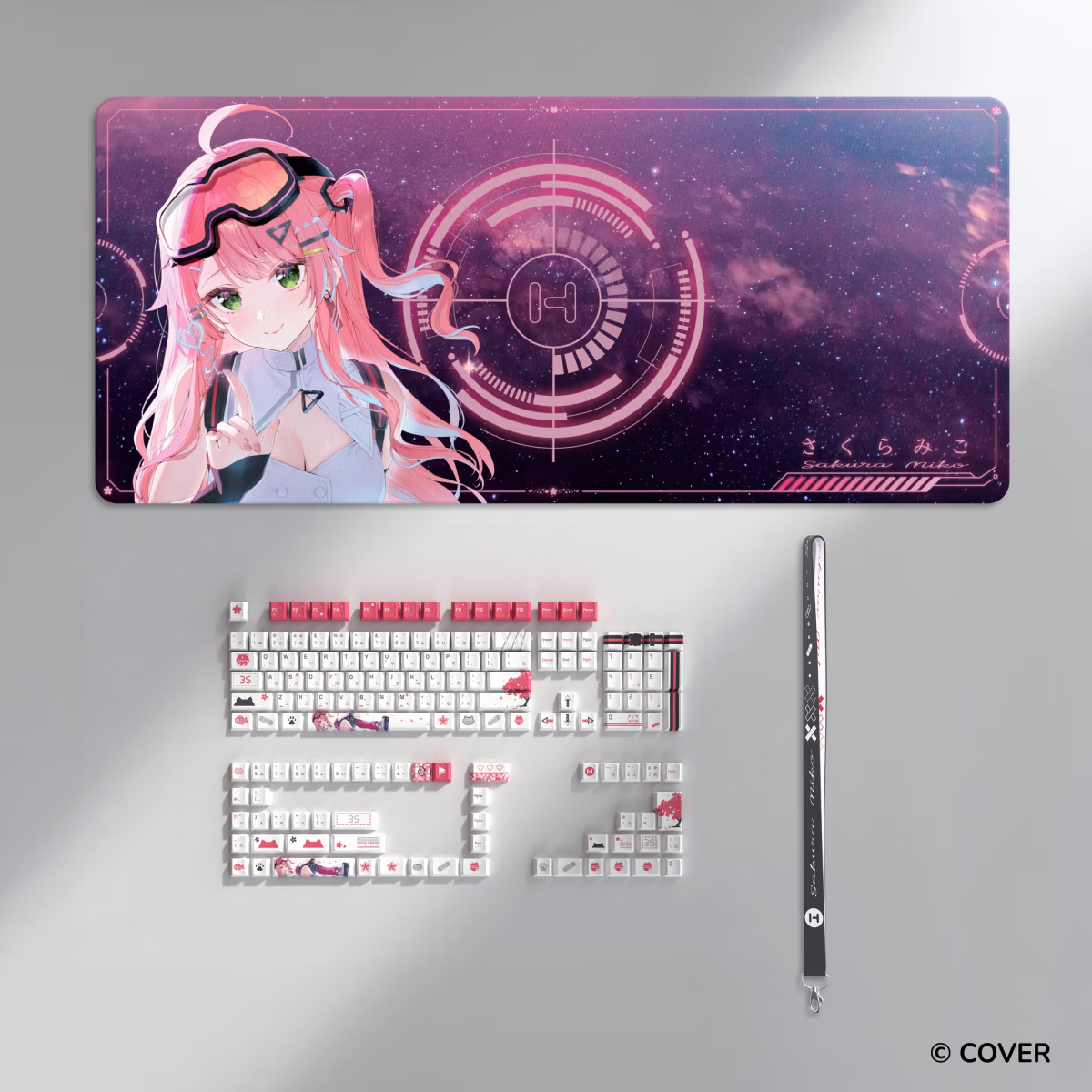
The CNVS desk pad series addresses the desk surface question with large-format pads in a range of designs that extend the visual intentionality of the setup beyond the case itself. For builders who have invested in a visually striking case, a desk pad that complements the aesthetic carries the look through to the complete station rather than leaving the desk surface as an afterthought.
The Nexus Software Layer
What connects the hardware ecosystem together is the Nexus software platform that manages HYTE’s digital accessories including the Q series coolers, fans, and light strips from a single interface. Nexus provides real-time system monitoring displayed on the pump head screen, fan curve management, lighting synchronization, and the display customization that determines what the cooler’s screen shows during use.
The value of the integrated software layer is most visible when the whole ecosystem is in place, where changing a lighting color or profile updates across every connected component simultaneously rather than requiring separate adjustments in multiple applications. For builders who have previously managed multiple RGB software platforms simultaneously, the consolidation that Nexus provides is a meaningful quality of life improvement that affects every session.
Building Around a Cohesive Ecosystem
The difference between a PC setup that feels designed and one that feels assembled is usually cohesion. When the case, the cooling hardware, the fans, the lighting, and the peripherals share a visual language and a software ecosystem, the whole presents as intentional in a way that individually chosen components rarely achieve regardless of their individual quality.
HYTE’s approach to building a complete ecosystem around their cases and accessories is visible across the product line, from the case designs that account for riser cable routing to the Nexus software that ties the digital accessories together. For builders who want the finished setup to reflect the same level of care that went into the hardware selection, building within a cohesive ecosystem is the most reliable path to that result.
Financial platforms are becoming more digital, connected, and customer-focused. Banks, insurance providers, fintech companies, investment firms, lenders, credit unions, and wealth management firms now need to deliver information across websites, mobile apps, customer portals, advisor tools, digital onboarding flows, calculators, investor pages, support centers, and email journeys. As these channels grow, content becomes one of the most important parts of the financial customer experience. Customers need accurate product details, clear guidance, transparent disclosures, educational resources, and timely updates wherever they interact with a financial organization.
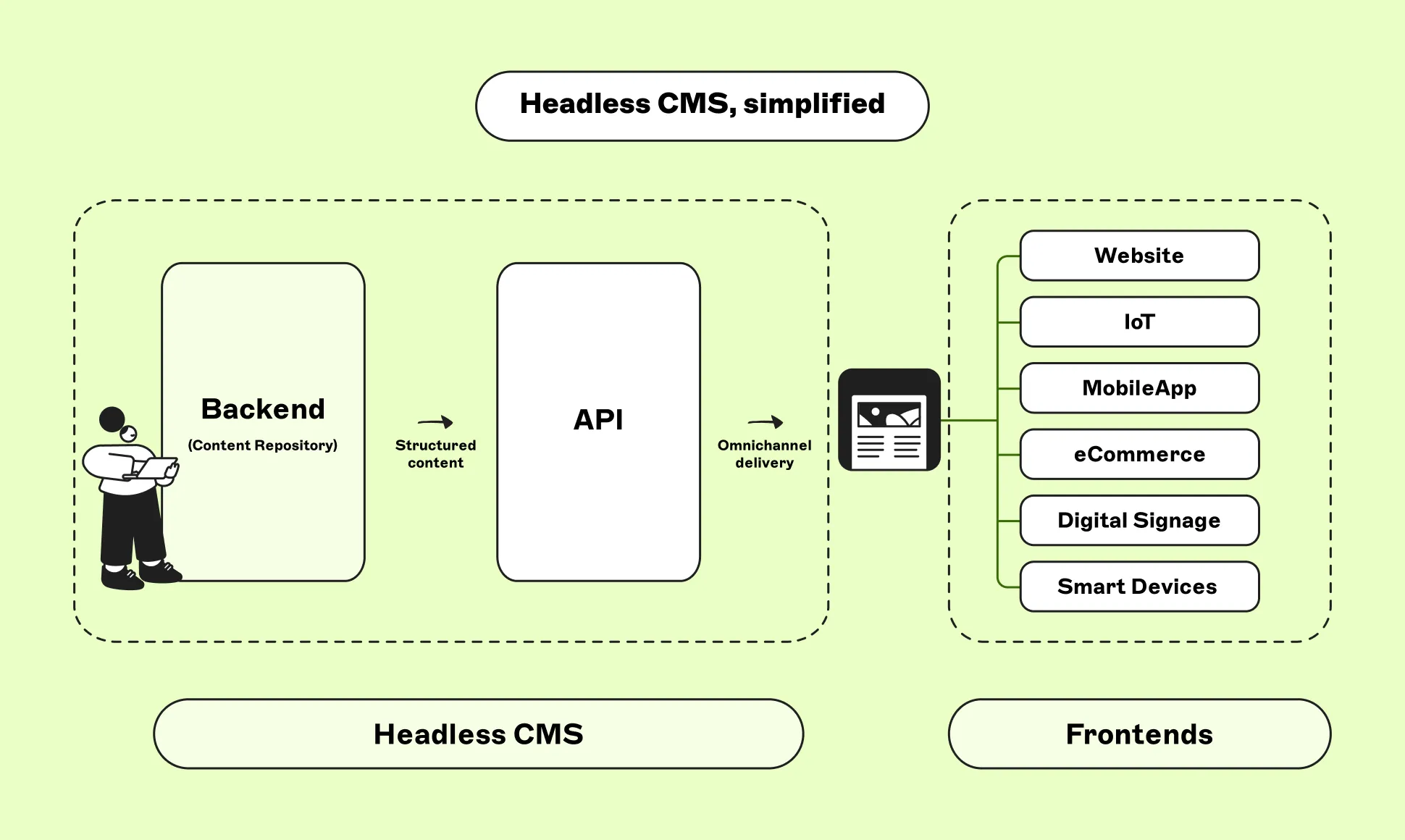
A headless CMS plays an important role in building future-ready financial platforms because it gives organizations a flexible and scalable way to manage content. Instead of tying content to one website or one fixed layout, a headless CMS separates content from presentation and delivers it through APIs to different digital channels. This helps financial institutions modernize their content infrastructure, reduce duplication, improve governance, support personalization, and prepare for future digital experiences. For financial organizations that need both innovation and control, a headless CMS can become a key foundation for long-term digital growth.
Creating a Flexible Content Infrastructure
A future-ready financial platform needs content infrastructure that can adapt as digital needs change. Traditional content systems are often built around fixed website pages, which makes it difficult to reuse information across apps, portals, tools, and personalized experiences. Read more about why adaptable content infrastructure is important for financial organizations that want to support new channels, reduce duplicated work, and keep innovation moving. When content is tied too closely to one front end, every new channel can require duplicated work, custom development, or manual content migration. This slows down digital growth and makes innovation harder to manage.
A headless CMS creates a more flexible foundation by separating content from the way it is displayed. Financial institutions can manage product descriptions, disclosures, support guidance, investor updates, educational content, and customer messages in one structured system. That content can then be delivered through APIs to many digital platforms. This gives developers freedom to build modern interfaces while content teams maintain control over the information itself. Flexibility becomes especially important as financial platforms expand into new customer journeys, devices, and service models.
Supporting Consistent Experiences Across Channels
Customers often move between several financial channels during the same journey. They may research a product on a website, continue in a mobile app, check details in a secure portal, receive an email update, and use a digital calculator before making a decision. If the content differs across these touchpoints, the experience can feel confusing. In financial services, inconsistent information can quickly weaken trust because customers depend on clear and reliable details.
A headless CMS supports consistency by allowing approved content to be managed centrally and delivered across channels. The same product explanation, fee note, support instruction, or disclosure can be reused in different experiences while still being presented in a format that fits each platform. A full explanation may appear on a website, while a shorter version appears in a mobile app or onboarding flow. The core message remains aligned. This helps financial organizations create a more connected customer experience and reduces the risk of outdated or conflicting information appearing across digital platforms.
Improving Agility for Product and Service Updates
Financial products and services change regularly. Account features may be updated, eligibility requirements may shift, support processes may improve, and new customer guidance may need to be published. In a traditional content setup, these changes can be slow because teams may need to update several platforms separately or wait for developer support. This can create delays at moments when speed is important.
A headless CMS helps financial institutions respond faster by allowing teams to update structured content from one central place. Product details can be broken into fields such as overview, benefits, requirements, fees, terms, and related guidance. When a change is needed, teams can edit the relevant content entry rather than rebuilding entire pages or manually updating multiple systems. Approval workflows can still ensure that important changes are reviewed before going live. This creates a better balance between speed and control, which is essential for future-ready financial platforms.
Strengthening Content Governance and Control
Financial content needs careful governance because accuracy, accountability, and trust are essential. Many content types require review from product, marketing, compliance, legal, customer service, investor relations, and regional teams. Without clear workflows, content can become delayed, duplicated, or published without the right approval. This becomes even more complex as platforms expand across more channels and markets.
A headless CMS supports stronger governance through roles, permissions, workflows, version history, and structured content models. Teams can define who can create content, who can edit it, who must review it, and who can publish it. Sensitive content, such as disclosures or investor communication, can move through more controlled approval stages. Version history helps teams track what changed, who changed it, and when it was approved. This gives financial institutions a more reliable content process. Strong governance allows organizations to innovate without losing the control required for responsible financial communication.
Enabling Reusable Content Across Digital Experiences
Reusable content is one of the most valuable advantages of a headless CMS. Financial platforms often use the same information in many places. A product benefit may appear on a website, in a mobile app, inside an onboarding journey, and in an email campaign. A disclosure may be needed across product pages, comparison tools, application flows, and customer portals. If each version is managed separately, teams create unnecessary work and increase the risk of inconsistency.
A headless CMS allows financial organizations to manage repeated information as reusable components. These components can include product summaries, fee explanations, eligibility rules, support messages, educational notes, and required disclosures. Once approved, they can be delivered wherever they are needed. When an update is required, teams can edit the central component instead of changing many separate versions. This makes content operations more efficient and scalable. For future-ready financial platforms, reusable content helps teams build faster, maintain quality, and reduce long-term complexity.
Supporting Personalization Based on Customer Needs
Future-ready financial platforms need to feel relevant to different types of customers. A first-time banking customer may need basic explanations and onboarding support, while a business customer may need guidance about payments, cash flow, or financing. A wealth management client may need portfolio education, planning resources, and advisor communication. If every customer receives the same generic content, the experience may feel less helpful.
A headless CMS supports personalization by organizing content with tags, metadata, and structured fields. Content can be connected to customer goals, product interests, journey stages, regions, languages, and knowledge levels. Digital platforms can then deliver relevant content based on the user’s context. For example, a customer exploring mortgage options can receive educational content about affordability and repayment, while a customer reviewing savings products can see guidance about budgeting and account features. This makes financial experiences more useful and customer-centered while keeping content centrally managed and governed.
Connecting Content With Digital Tools and Portals
Modern financial platforms often include interactive tools and secure digital environments. Customers may use calculators, comparison tools, application forms, eligibility checkers, document centers, account dashboards, investor portals, or advisor platforms. These tools need clear supporting content to explain what users are seeing, what actions they should take, and what important conditions apply. If content inside these tools is hardcoded or managed separately, updates become slower and less consistent.
A headless CMS can deliver structured content directly into these digital experiences through APIs. Help text, tooltips, explanations, disclosures, next-step guidance, and related educational resources can all be managed centrally and displayed inside tools and portals. This allows developers to focus on functionality, security, and performance, while content teams manage the information layer. The result is a more flexible platform where tools and content work together. This is essential for future-ready finance because digital experiences increasingly depend on both strong technology and clear communication.
Improving Localization for Multi-Market Financial Platforms
Financial organizations that operate across multiple regions need content that is both consistent and locally relevant. Different markets may require different language, terminology, currency references, product availability, support information, and required explanations. Traditional systems often make localization difficult because regional content may be duplicated across separate pages or managed in disconnected platforms. This can reduce visibility and create inconsistencies between markets.
A headless CMS helps manage localization more effectively by allowing global and regional teams to work within the same content model. Global teams can define core messaging, brand standards, and governance workflows, while local teams adapt specific fields for their market. This allows regional teams to localize content without disconnecting from the wider content structure. Each version can be tracked, reviewed, and updated more efficiently. For future-ready financial platforms, this balance between global consistency and local flexibility is important because growth often depends on serving different markets without creating new content silos.
Reducing Technical Debt in Financial Content Systems
Legacy content systems can create technical debt over time. Older templates, duplicated content, hardcoded text, custom workflows, and disconnected systems can make digital improvement more difficult. Every new product, channel, or customer journey may require additional workaround solutions. This creates long-term complexity and slows transformation. Financial organizations may find themselves maintaining systems that are no longer flexible enough for modern customer expectations.
A headless CMS helps reduce technical debt by creating a more modular content architecture. Content is managed separately from front-end presentation, which means digital teams can update interfaces, redesign experiences, or launch new channels without rebuilding the entire content system. Reusable content models also reduce the need for repeated custom development. This makes the platform easier to maintain over time. Reducing technical debt is not only a technical benefit. It also improves operational efficiency, makes innovation easier, and gives financial institutions more room to adapt as digital services evolve.
Supporting Better Auditability and Version Management
Auditability is essential in financial services because teams need to understand how content has changed over time. They need to know who edited content, who reviewed it, when it was approved, and which version is currently live. This is especially important for product information, disclosures, investor updates, support guidance, and customer-facing terms. Without auditability, it becomes harder to investigate issues or confirm that the correct process was followed.
A headless CMS supports auditability through version history, workflow status, permissions, and content records. Teams can compare versions, restore previous approved content, and track the full lifecycle of important information. This creates a clearer and more accountable content process. Version management also helps prevent outdated drafts from being reused across platforms. For future-ready financial platforms, auditability is a core requirement because content operations must be both agile and controlled. A headless CMS gives teams the visibility needed to manage content responsibly at scale.
Preparing Platforms for Emerging Digital Channels
Financial platforms will continue to evolve as new channels and customer expectations emerge. Organizations may need to deliver content into advanced mobile features, embedded finance journeys, digital assistants, personalized dashboards, advisor workspaces, investor tools, or future self-service environments. If content is locked into one traditional website system, every new channel can require a major rebuild or migration.
A headless CMS helps prepare financial platforms for future channels by making content independent from presentation. Once content is structured and accessible through APIs, it can be delivered to new digital experiences as they are introduced. This allows financial institutions to innovate without starting from scratch each time customer behavior changes. Developers can build new interfaces, while content teams continue managing information from one central system. This future-ready approach gives organizations more flexibility and reduces the risk that today’s platform becomes tomorrow’s limitation.
Conclusion
The role of headless CMS in building future-ready financial platforms is becoming increasingly important as financial services continue to evolve. Modern financial organizations need to deliver accurate, consistent, personalized, and well-governed content across websites, mobile apps, portals, tools, emails, regional platforms, and future digital channels. Traditional content systems often struggle to support this level of flexibility because they tie content too closely to fixed pages or specific platforms.
A headless CMS gives financial institutions a more scalable foundation by separating content from presentation and delivering it through APIs. It supports reusable content, stronger governance, better localization, faster updates, improved auditability, and more connected customer experiences. It also helps business and technology teams work together more efficiently while reducing technical debt. As customer expectations and digital channels continue to change, financial platforms need content infrastructure that can adapt. A headless CMS provides that foundation, helping financial organizations build platforms that are flexible, trustworthy, and ready for the future.
In today’s digital environment, businesses, developers, bloggers, and online entrepreneurs all require stable, secure, and high-performance hosting solutions. As websites and applications continue to grow in complexity, traditional shared hosting often becomes insufficient. This is where VPS hosting enters the picture as a practical and powerful alternative.
A VPS virtual server provides users with dedicated resources, improved performance, enhanced security, and greater flexibility compared to standard shared hosting. Whether you are launching an eCommerce website, managing a corporate portal, hosting game servers, or running custom applications, VPS technology offers the perfect balance between affordability and performance.
Among the many hosting providers available today, Iwihost stands out as a trusted platform offering reliable VPS solutions for businesses and individuals. Their infrastructure is designed to deliver stability, speed, and scalability for modern online projects.
What Is a VPS Server?
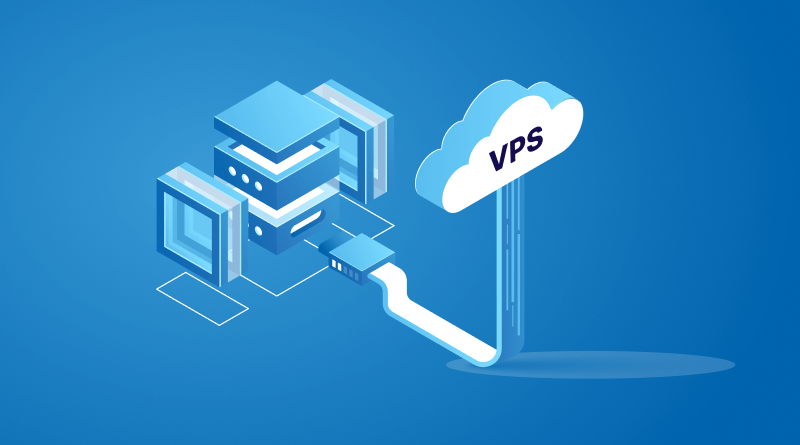
A Virtual Private Server (VPS) is a hosting environment created through virtualization technology. A physical server is divided into several independent virtual servers, each functioning like a separate dedicated machine.
Every VPS has its own:
- Operating system
- CPU resources
- RAM allocation
- Disk storage
- IP address
- Software configuration
This means users gain much more control and stability compared to shared hosting environments.
Unlike shared hosting, where multiple websites compete for the same server resources, VPS hosting guarantees dedicated resources for every user. This leads to improved website speed, better uptime, and a more secure hosting environment.
How VPS Hosting Works
Virtualization software, commonly known as a hypervisor, divides a physical server into isolated virtual machines. Each virtual machine behaves independently and allows users to install applications, configure settings, and manage server resources according to their needs.
The main advantage of this system is efficiency. Hosting providers can maximize hardware utilization while clients receive reliable performance similar to dedicated servers at a much lower price.
Key Components of VPS Technology
1. Virtualization Layer
The virtualization layer creates separate server environments. Problems in one VPS generally do not affect others on the same physical server.
2. Dedicated Resources
Users receive allocated RAM, CPU cores, and storage space that are reserved specifically for their virtual server.
3. Root Access
Most VPS plans provide full administrative access, allowing advanced users to customize server settings and install specialized software.
4. Independent Operating Systems
Users can choose their preferred operating system, including:
- Linux distributions
- Ubuntu
- CentOS
- Debian
- Windows Server
Why VPS Hosting Is Popular
The popularity of VPS hosting has increased significantly because it bridges the gap between low-cost shared hosting and expensive dedicated servers.
Businesses and developers prefer VPS hosting because it offers:
- Better performance
- Improved reliability
- Greater customization
- Stronger security
- Cost efficiency
- Easy scalability
For growing projects, VPS hosting becomes a logical next step once shared hosting limitations begin affecting performance.
Advantages of VPS Hosting
Improved Performance
Performance is one of the biggest reasons people switch to VPS hosting.
On shared hosting, traffic spikes from neighboring websites can slow down your project. VPS environments isolate resources, ensuring your applications maintain stable performance even during high traffic periods.
Benefits include:
- Faster website loading times
- Better responsiveness
- Improved SEO performance
- Higher visitor satisfaction
- Reduced downtime
Fast websites also improve user engagement and conversion rates.
Enhanced Security
Security is essential for any online project, especially for businesses handling customer information or payment processing.
VPS hosting provides stronger protection because virtual servers operate independently from one another.
Security Advantages Include:
- Isolated server environments
- Dedicated IP addresses
- Advanced firewall configuration
- Custom security software installation
- Better malware protection
- Secure remote access
With VPS hosting, users have greater control over security settings and can implement tailored protection measures.
Full Administrative Control
A VPS server provides root or administrator access, allowing complete control over the hosting environment.
This is extremely useful for:
- Developers
- System administrators
- SaaS companies
- Application owners
- Game server operators
Users can:
- Install custom software
- Modify server configurations
- Optimize performance settings
- Deploy frameworks
- Run specialized applications
This flexibility makes VPS hosting suitable for advanced and professional projects.
Scalability for Growing Projects
One of the strongest advantages of VPS hosting is scalability.
As your website grows, you may require:
- More RAM
- Additional CPU resources
- Increased storage
- Higher bandwidth
VPS platforms make scaling easy without requiring complex migrations.
This flexibility is ideal for:
- Expanding businesses
- Viral websites
- Seasonal traffic increases
- Startups preparing for growth
Cost-Effective Alternative to Dedicated Servers
Dedicated servers offer maximum power but are expensive for many users.
VPS hosting provides many dedicated-server benefits at a significantly lower cost.
Users receive:
- Dedicated resources
- Better isolation
- Root access
- Enhanced performance
without the high financial investment associated with physical dedicated servers.
This makes VPS hosting highly attractive for small and medium-sized businesses.
Common Uses of VPS Servers
VPS hosting is versatile and supports many online activities.
Website Hosting
Businesses often use VPS servers to host:
- Corporate websites
- eCommerce stores
- News portals
- Membership platforms
- Educational websites
The improved speed and reliability help deliver better user experiences.
Application Hosting
Developers use VPS servers to host:
- Web applications
- APIs
- SaaS platforms
- CRM systems
- Business tools
The ability to customize environments makes VPS ideal for development projects.
Game Servers
Gaming communities frequently use VPS servers for multiplayer gaming environments.
Popular uses include:
- Minecraft servers
- Counter-Strike servers
- Rust servers
- Voice communication servers
VPS hosting provides stable connections and low latency for players.
VPN Hosting
Some users configure VPS servers as secure VPN solutions to improve privacy and remote accessibility.
Benefits include:
- Encrypted communication
- Remote work security
- Private browsing
- Global access
Email Servers
Businesses may use VPS hosting for professional email infrastructure with improved reliability and control.
Remote Desktop Environments
Windows VPS servers are commonly used for:
- Remote office work
- Trading platforms
- Software automation
- Business operations
Users can securely access their desktop environments from anywhere.
Why Businesses Need Reliable VPS Hosting
Modern businesses depend heavily on uptime and performance. Even short periods of downtime can result in:
- Lost revenue
- Poor customer experiences
- SEO ranking declines
- Reputation damage
Reliable VPS hosting helps maintain consistent operations while supporting business growth.
Important Business Benefits
Better Customer Experience
Fast-loading websites improve engagement and increase trust among visitors.
Improved Search Engine Rankings
Website speed is an important ranking factor for search engines.
Stronger Data Security
Businesses handling customer information require secure hosting environments.
Stable Operations
Dedicated resources reduce the risk of interruptions caused by other users.
The Importance of Choosing the Right Hosting Provider
Not all VPS hosting providers offer the same level of quality. Selecting the right provider significantly affects your project’s success.
Important factors to evaluate include:
- Infrastructure quality
- Server uptime
- Technical support
- Security features
- Pricing
- Scalability
- Data center reliability
A trustworthy hosting provider ensures smooth performance and long-term stability.
Advantages of the Iwihost Platform
Iwihost has become a preferred hosting provider for many users because of its reliable infrastructure and customer-focused services.
The platform offers modern VPS hosting solutions suitable for:
- Businesses
- Developers
- Online stores
- Agencies
- Gaming communities
- Personal projects
Let’s explore some major advantages of choosing Iwihost.
High Performance Infrastructure
Iwihost uses modern server hardware and optimized infrastructure to deliver strong performance.
This includes:
- Fast processors
- SSD storage
- Reliable networking
- Stable virtualization technology
As a result, websites and applications operate efficiently with minimal delays.
Reliable Uptime
Website availability is crucial for online success.
Iwihost focuses on stable uptime performance to ensure websites remain accessible around the clock.
Reliable uptime contributes to:
- Better customer trust
- Higher revenue
- Improved search visibility
- Professional online presence
Flexible VPS Plans
Different projects require different hosting capacities.
Iwihost offers flexible VPS plans suitable for:
- Small websites
- Growing startups
- Large business platforms
- Resource-intensive applications
Users can choose plans according to their technical and financial requirements.
Enhanced Security Features
Security remains a major priority at Iwihost.
Their VPS hosting solutions support advanced security measures such as:
- Firewall protection
- Secure access management
- DDoS mitigation
- Data isolation
- Regular monitoring
This helps protect websites and applications from online threats.
User-Friendly Management
Managing a VPS server can sometimes feel complex for beginners.
Iwihost simplifies server management with accessible tools and support systems that make configuration and maintenance easier.
This is especially beneficial for users transitioning from shared hosting environments.
Technical Support
Quality customer support is extremely important in hosting services.
Iwihost provides technical assistance to help users resolve issues quickly and maintain stable hosting operations.
Fast support response times help minimize downtime and improve customer confidence.
Scalability and Growth Support
As businesses expand, hosting requirements also increase.
Iwihost VPS solutions are designed to scale with growing projects, allowing users to upgrade resources efficiently without complicated migrations.
VPS Hosting vs Shared Hosting
Understanding the differences between VPS and shared hosting helps users make informed decisions.
Feature Shared Hosting VPS Hosting Performance Limited High Security Shared Environment Isolated Environment Customization Minimal Extensive Root Access No Yes Scalability Limited Flexible Stability Variable Reliable Resource Allocation Shared Dedicated
For serious online projects, VPS hosting provides clear advantages.
Who Should Use VPS Hosting?
VPS hosting is suitable for many types of users.
Small Businesses
Businesses needing reliable online operations benefit greatly from VPS hosting.
Developers
Developers require flexible environments for coding, testing, and deployment.
eCommerce Stores
Online stores need stable performance and secure infrastructure for transactions.
Content Creators
Bloggers, video creators, and publishers can handle growing traffic more effectively with VPS hosting.
Agencies
Marketing and development agencies often manage multiple client projects on VPS servers.
Tips for Managing a VPS Server
To achieve the best performance from a VPS environment, users should follow several best practices.
Keep Software Updated
Regular updates improve security and stability.
Use Strong Passwords
Secure authentication protects against unauthorized access.
Monitor Resource Usage
Monitoring CPU, RAM, and storage usage helps optimize performance.
Configure Backups
Automated backups reduce the risk of data loss.
Implement Firewalls
Firewall configuration enhances server security.
Future of VPS Hosting
The VPS hosting industry continues to evolve as businesses demand faster and more scalable solutions.
Future trends include:
- Cloud-integrated VPS solutions
- AI-powered server optimization
- Enhanced cybersecurity
- Faster NVMe storage
- Improved automation
- Eco-friendly data centers
VPS hosting will remain an essential solution for modern digital infrastructure.
Conclusion
Virtual Private Servers provide an excellent balance between affordability, flexibility, performance, and security. They are ideal for businesses, developers, online stores, and growing digital projects that require more power than traditional shared hosting can offer.
A VPS server allows users to enjoy dedicated resources, greater customization, improved stability, and enhanced security without the high costs associated with dedicated hardware.
For anyone searching for dependable hosting services, Iwihost offers a strong combination of performance, reliability, scalability, and customer support. Their VPS solutions are designed to meet the demands of modern websites and applications while remaining accessible for businesses of all sizes.
As online competition continues to grow, investing in reliable VPS hosting becomes increasingly important for maintaining strong performance and delivering excellent user experiences. Choosing a trusted provider like Iwihost can help businesses build a stable and scalable digital foundation for long-term success.
-

 Finance3 years ago
Profitable Intraday Trading Advice For Novices
-

 Gaming3 years ago
Pixel Speedrun Unblocked Games 66
-

 Gaming4 years ago
Subway Surfers Unblocked | Subway Surfers Unblocked 66
-

 Internet3 years ago
Welcome to banghechoigame.vn – Your One-Stop Destination for Online Gaming Fun!
-

 Gaming4 years ago
Minecraft Unblocked Games 66 | Unblocked Games Minecraft
-

 Gaming4 years ago
Google Baseball Unblocked | Google Doodle Baseball Unblocked 66
-

 Gaming4 years ago
Tunnel Rush Unblocked | Tunnel Rush Unblocked 66
-

 Internet3 years ago
Premium Games Unblocked: Unleash Your Gaming Potential